Your context
Write your profile once: career history, accomplishments, base résumé and how you write. Every draft starts from what's true.
Build your profile once. Highlight what you like in each posting and say why. Your AI drafts answers and a résumé that fit the job and sound like you. You review them side by side and make them yours. It all runs on your computer, with the AI you already pay for.
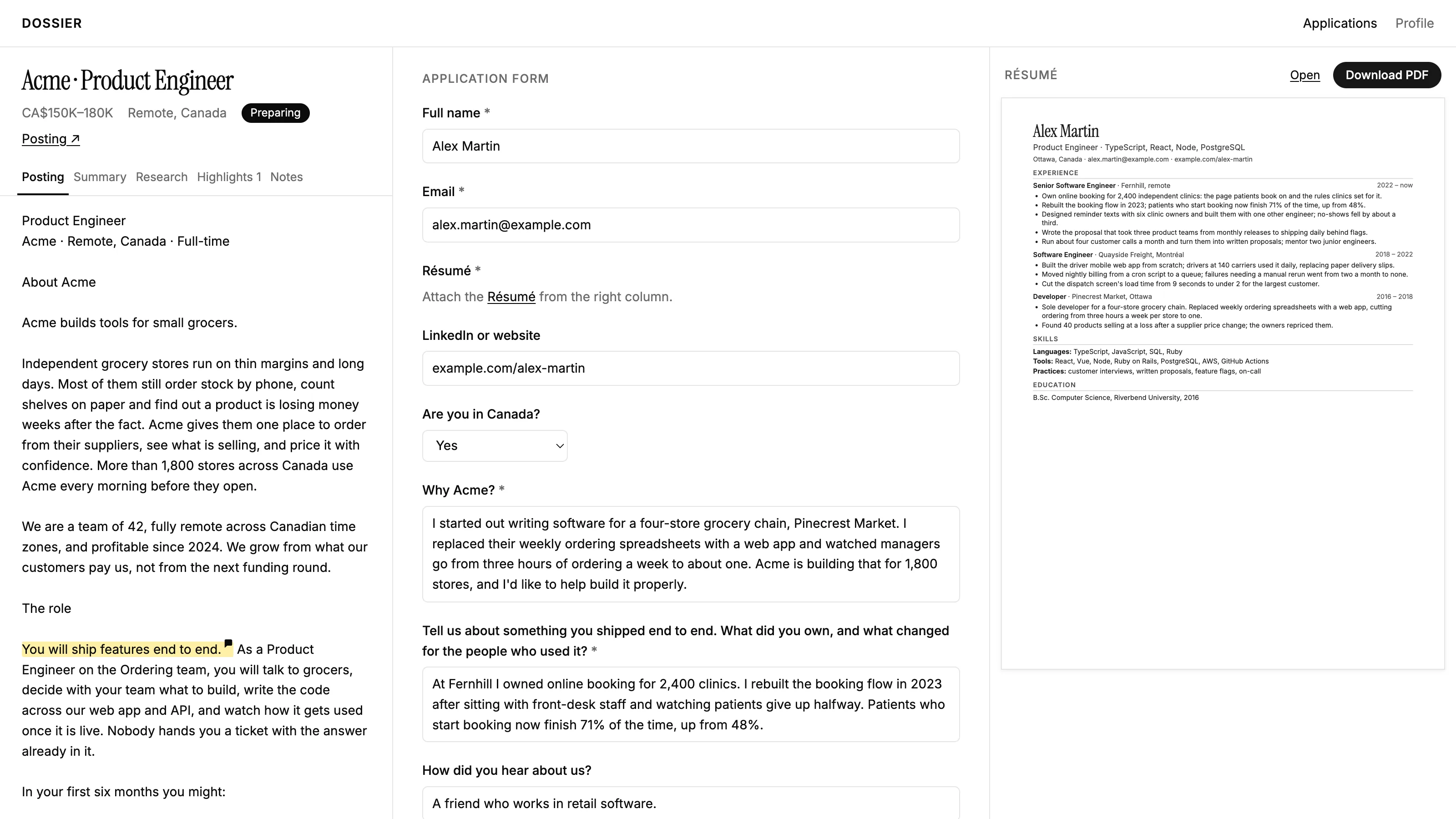
Write your profile once: career history, accomplishments, base résumé and how you write. Every draft starts from what's true.
Highlight what you like in a posting and note why. You apply to fewer jobs, each one deliberately.
Every answer and the résumé sit side by side. Edit anything before it goes out, so what you send is genuine.
Use Claude or Codex, the one you already have. No new subscription.
Everything stays local, in one file. Private by default.
You need Node.js 24. Dossier opens at http://localhost:4747.
git clone https://github.com/victorcheeney/dossier.git && cd dossier && npm install && npm startRun the one for the agent you use, once.
Claude Code
claude mcp add --transport http dossier http://localhost:4747/mcpCodex
codex mcp add dossier --url http://localhost:4747/mcpYour agent adds the application, reads the form's questions and asks what each answer should say. Open Dossier to highlight, review and edit. Want to look around first? Click "Try the Example" on Dossier's first page.